VS Code and Cursor extension
Tools for SAP Commerce
ImpEx and FlexibleSearch support that knows your type system. The extension reads the items.xml files of your project, so completion, validation and navigation work with your real item types, including the ones from your custom extensions. With the server running, queries run from the editor, without opening the hAC.

items.xml.What it does
Editing support runs locally in your editor, with no configuration: the platform installation next to your project is found automatically. Running queries only needs the hAC URL and user of each environment.
Validation while you type
Unknown item types and attributes are flagged with a "Did you mean" suggestion, together with undefined macros and rows that don't match the header.

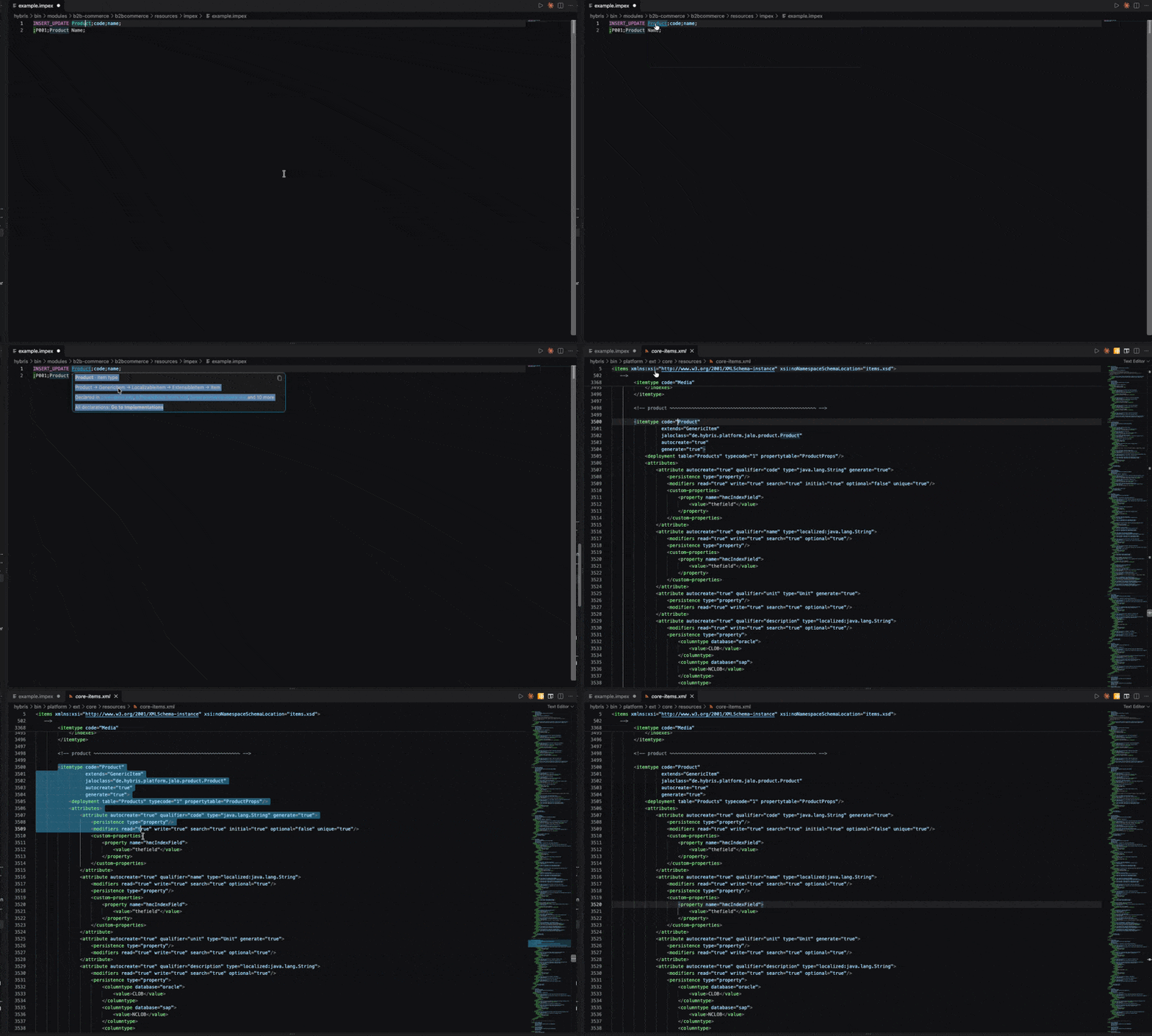
The matching column, highlighted
On a value, the header column lights up. On a header column, the values below it do. Long rows stay easy to read.

Straight to the items.xml
Hover a type to see its inheritance and the files that declare it. Go to Definition opens the original declaration; Go to Implementations lists every extension that adds to it.
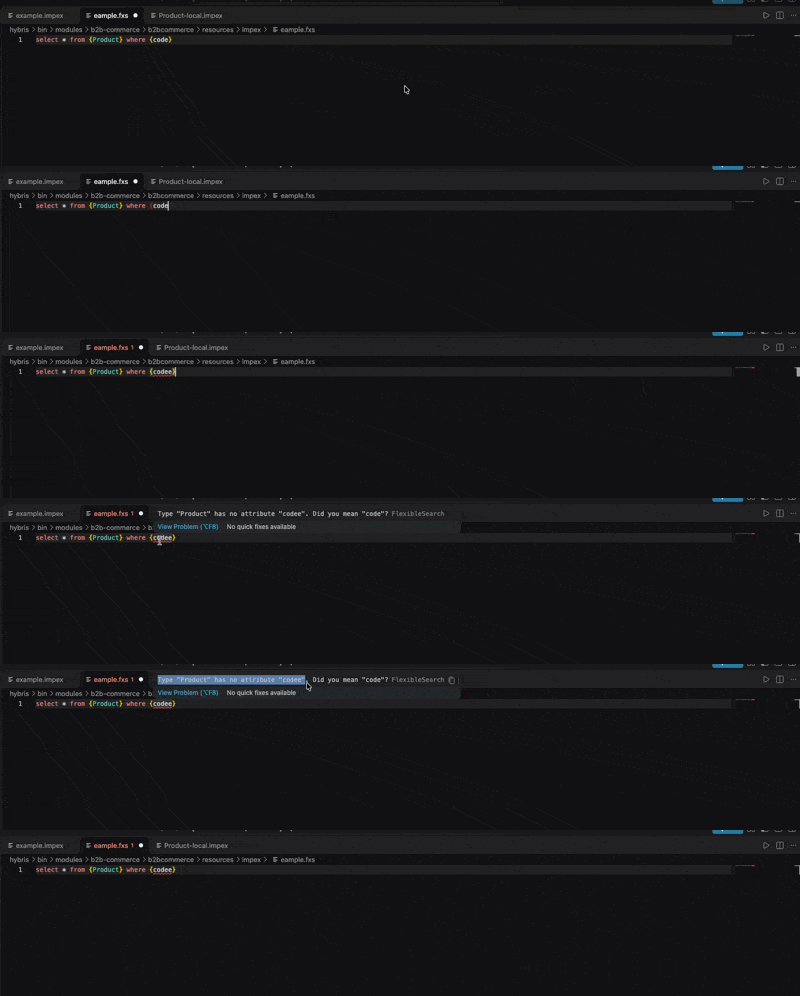
FlexibleSearch, checked like ImpEx
In .fxs files, item types and attributes are completed after FROM { and {alias., unknown types, attributes and aliases are flagged with a suggestion, and hover and Go to Definition open the items.xml.
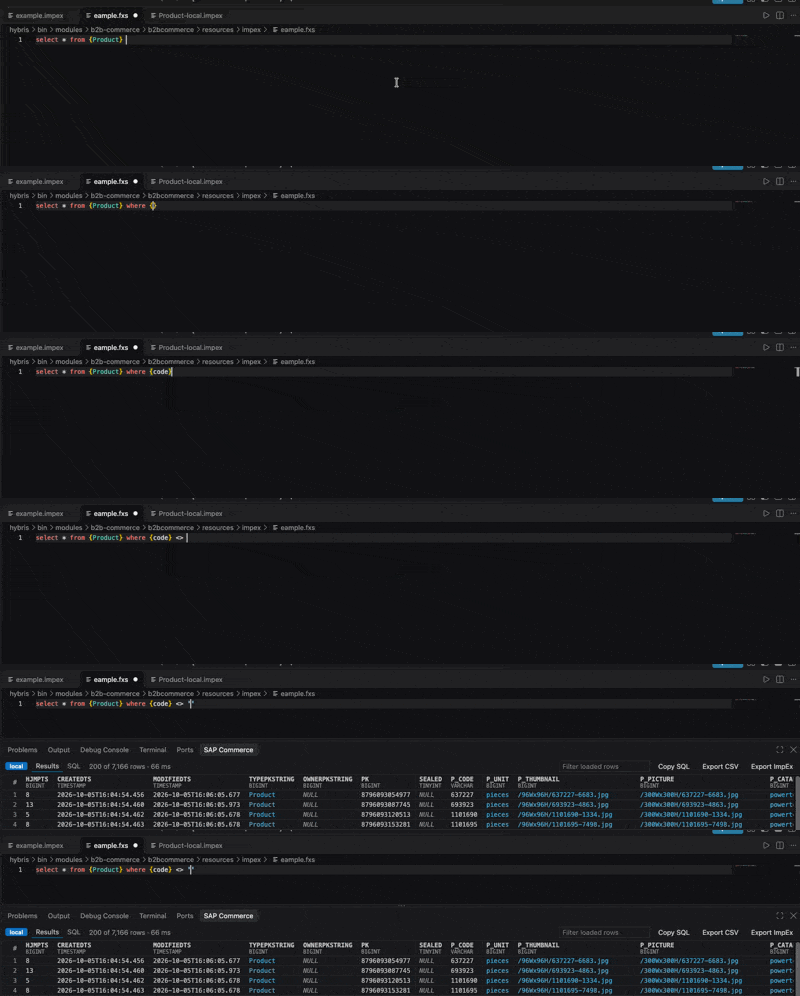
Run queries against your server
Cmd+Enter runs the query in the hAC of the environment you pick: local, dev, stage or prod, each in its own color. Rows load as you scroll, with no row limit, references show their code instead of a PK, and every row exports to CSV.
Value suggestions
Enum attributes suggest their values, merged from every extension, and boolean attributes suggest true and false.

Pro coming soon
Writing ImpEx and FlexibleSearch and querying your servers stay free. The Pro edition adds the features that move and change data. They are built and tested, and the buttons are already in the editor, marked PRO.
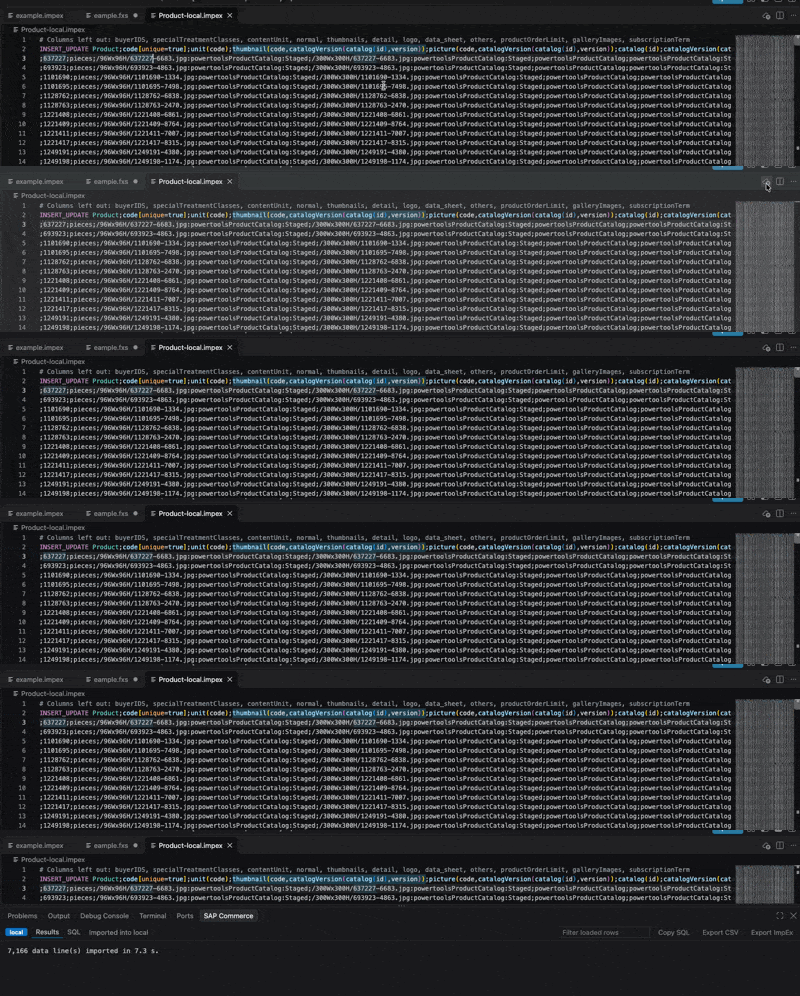
Export results to ImpEx
Every row of a query becomes an INSERT_UPDATE block for another environment: keys marked unique, references by their key, media by code and catalog version so Staged and Online never mix, and enums by code. Works with SELECT * too.

Import ImpEx into an environment
Import a file, or the selection, from its editor, with a confirmation for every import and the environment name typed for production. Lines that fail open in a new editor with the reason, ready to fix and import again. The 7,166 products of the Powertools demo catalog were queried, exported and imported back in 7.3 seconds, without opening the hAC.
Edit results in place
Change values right in the results grid, with an editor for each attribute type, review before and after, and save in one transaction through the model service, so interceptors and validation run as usual.
Want Pro for your team? Tell us in the issue tracker.
Get started
- Install Tools for SAP Commerce from the VS Code Marketplace, or in Cursor from the Extensions view (Open VSX).
- Open your SAP Commerce project.
- Open an
.impexor.fxsfile. - To run queries, start the server and run SAP Commerce Tools: Add Environment... with the hAC URL and user.
Questions, problems and ideas are welcome in the issue tracker.